DigitalArchitecture

Inside Metaspace

You shape the voxels. Metaspace builds the mesh.

In the Modern editor, the mesh is never the source material. Every mark changes an editable field of Spatial Ink voxels, and Metaspace continuously turns that field into optimized geometry for display.

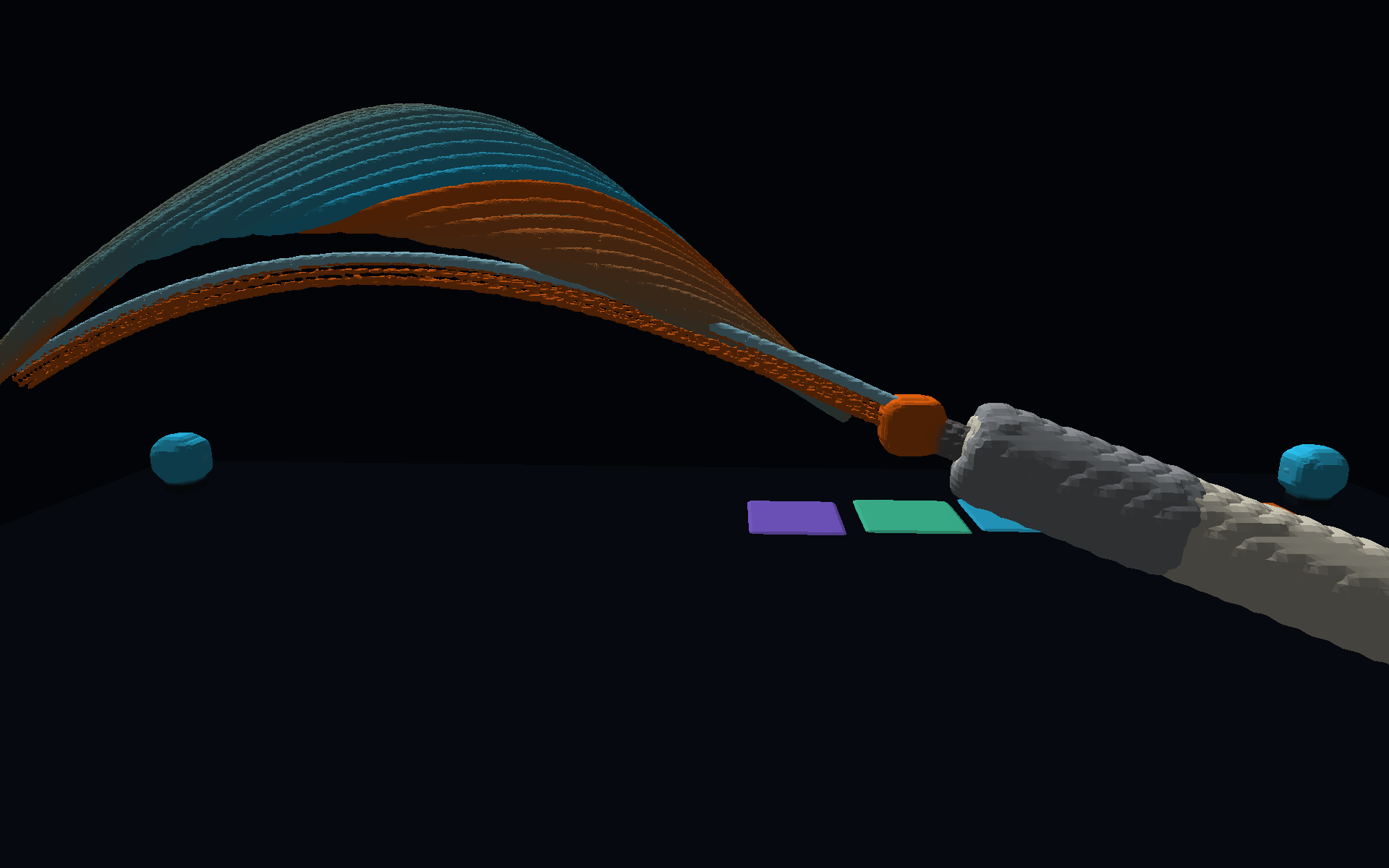
A Metaspace scene rendered mid-drawing: an Apple Pencil constructing a luminous woven surface from precise strokes

Voxel-native creation

Draw volume, not polygons.

Apple Pencil and touch gestures deposit or remove voxels in three-dimensional space. These voxels - not vertices, edges, or faces - are the editable model. Spatial Ink remains independent of the topology used to render it.

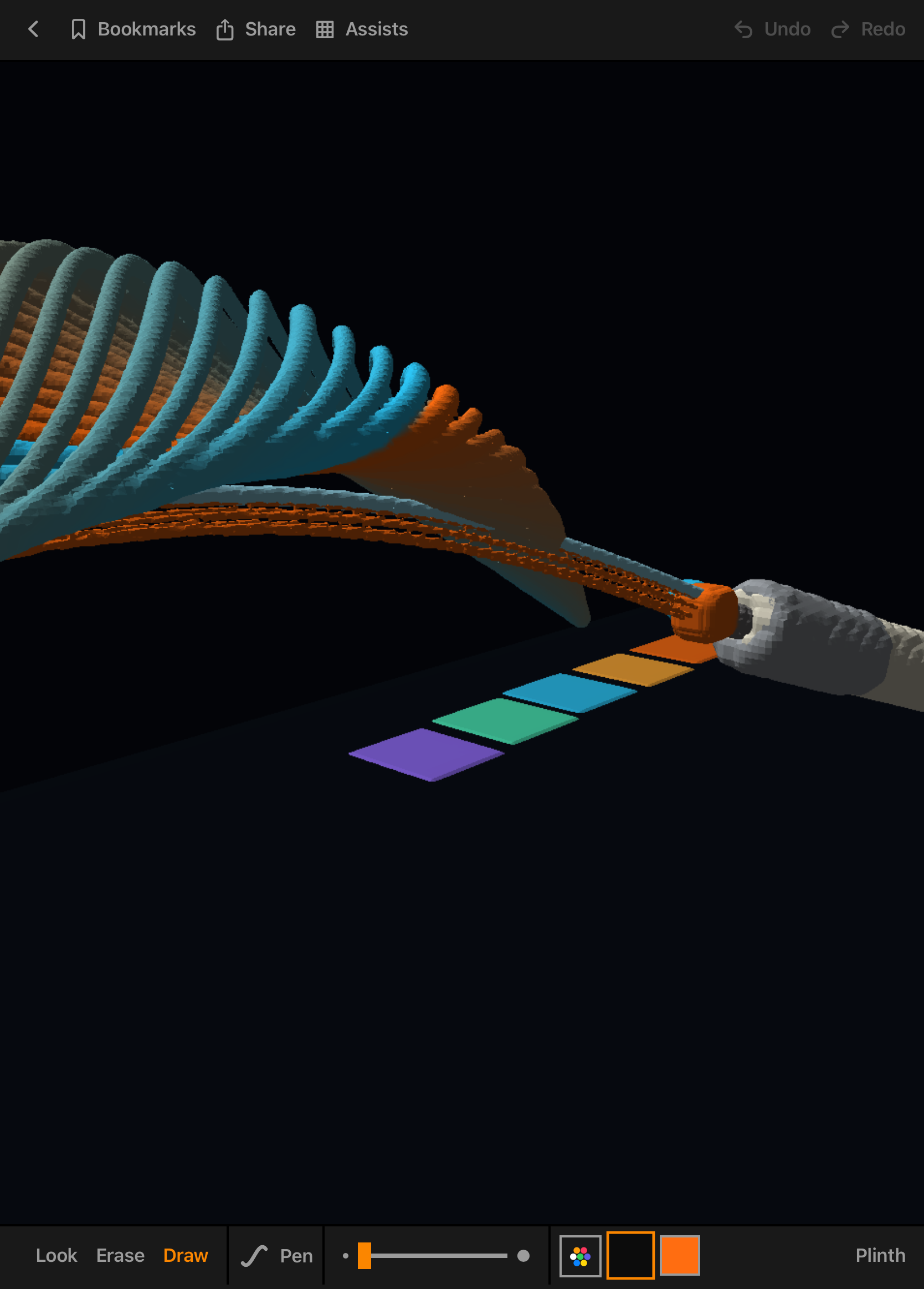
The editor's mode control (Look, Erase, Draw) with the active Pen tool, size slider, and colours

Responsive by design

The engine keeps up with the hand.

A live preview follows the active gesture while committed voxel changes are remeshed in the background. Drawing and navigation run at the display’s native refresh rate - including up to 120 fps on supported ProMotion devices - then become demand-driven when the scene is still.

From gesture to surface

The mesh is an output, not an editing constraint.

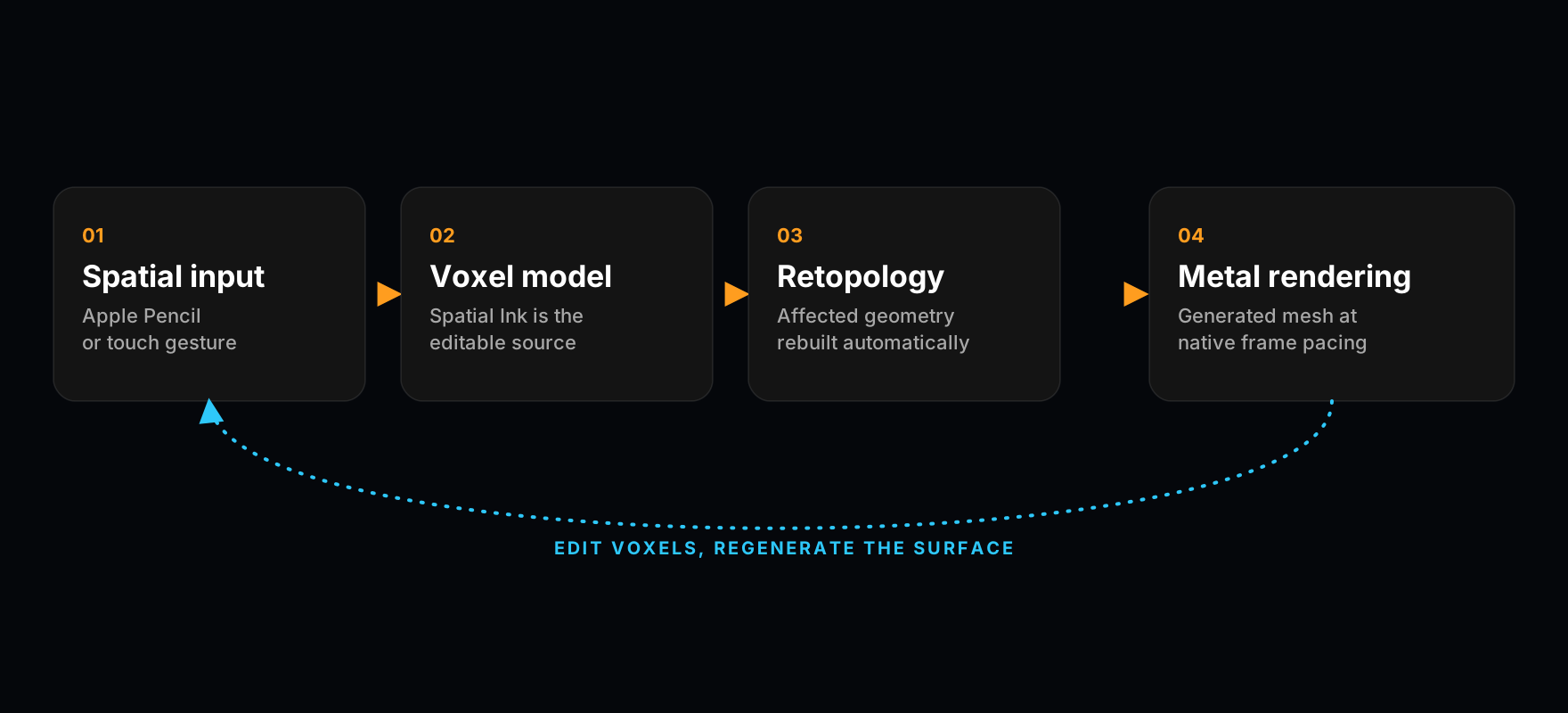
  • Spatial input

    Each tool translates Pencil or touch samples into volumetric marks with position, scale, colour, and material character.

  • Voxel model

    Marks are sampled into a stable three-dimensional voxel field. This is the authored state the user changes and Metaspace saves.

  • Automatic retopology

    Whenever the voxel state changes, Metaspace regenerates the affected surface with topology adapted to the current form. There is no mesh cleanup step and no topology for the user to manage.

  • Metal rendering

    The generated surface is lit, shaded, depth-tested, and presented by a native Metal renderer tuned for iPhone and iPad.

  • Project and export

    Editable voxels remain in the Metaspace project; OBJ and USDZ exports receive a generated triangle mesh for use in conventional 3D tools.

Core runtime

Voxels in. Optimized surfaces out.

A gesture changes Spatial Ink, the affected volume is retopologized, and the resulting mesh is swapped into the live scene. The loop repeats after every edit while the voxel model remains the single source of truth.

Modern editor runtime: spatial input changes voxels, affected geometry is automatically retopologized, and Metal renders the generated mesh
Apple Pencil creating volumetric Spatial Ink in the Metaspace Modern editor

Pencil-aware input

Input that anticipates the Pencil.

Metaspace combines coalesced Pencil samples for path accuracy with temporary predicted samples that keep the visible stroke close to the tip. Pressure, tilt, and movement pace can reshape the voxel field, while hover previews the footprint before contact.

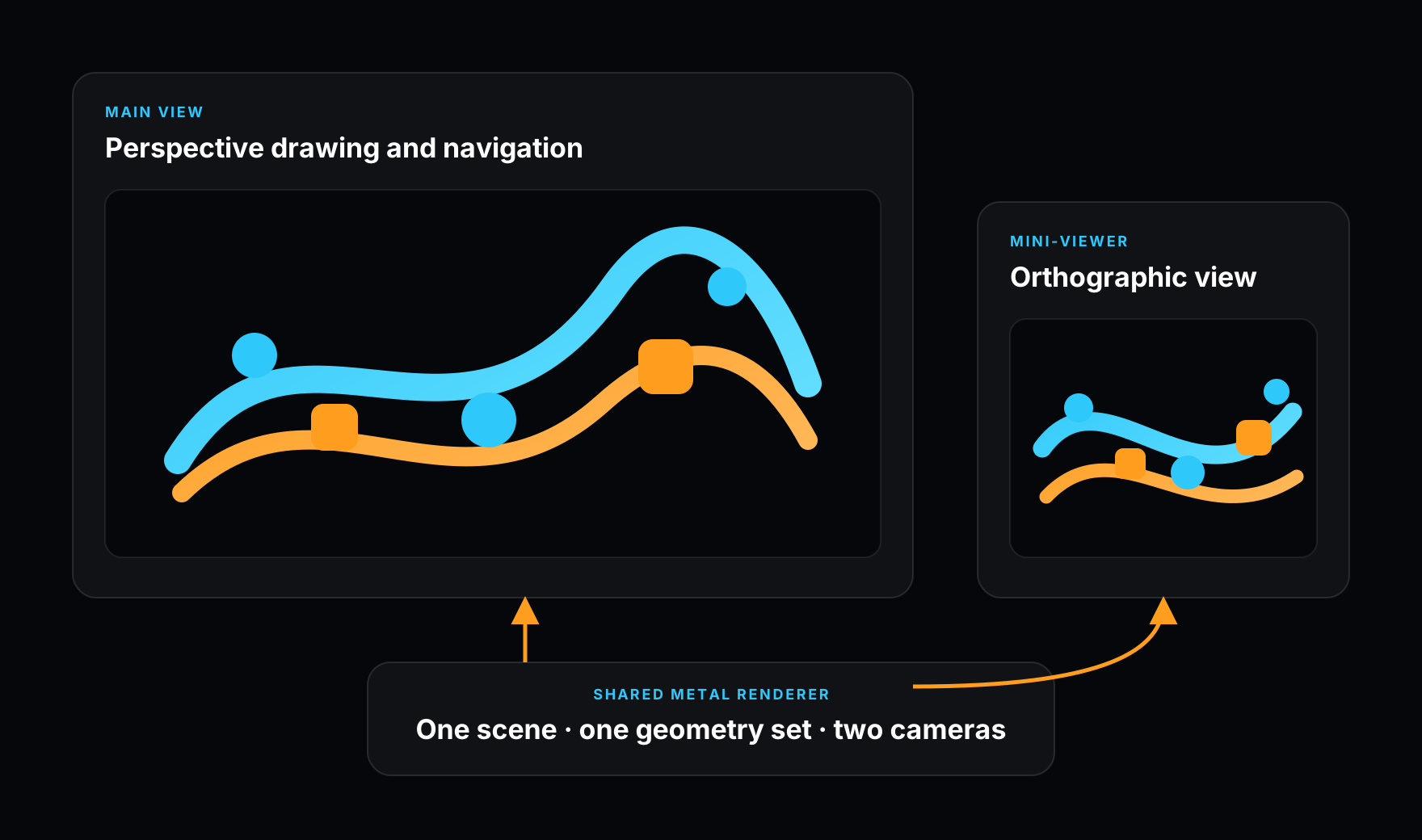
The main perspective view and orthographic mini-viewer drawing the same scene through one shared Metal renderer

Synchronized orientation

Two views. One scene.

The mini-viewer is not a duplicated scene or a simplified preview. It asks the same Metal renderer to draw the same generated geometry from a fixed top, bottom, left, or right orthographic camera. Both views share GPU resources, remain synchronized, and redraw only when the scene or camera changes.

Interaction technologies

Precision without breaking spatial flow.

Composable navigation

Orbit, pan, and pinch-to-zoom can operate together, allowing touch to reposition the camera in one continuous gesture. In Pencil-only mode, Apple Pencil remains dedicated to drawing.

Magnetic orientation

Camera rotation is gently attracted to 90-degree increments, then settles precisely on release. The result combines free orbiting with reliable axial views.

Voxel-native erasing

A screen-consistent eraser is translated into world space and carves the voxels it touches. Affected geometry is regenerated, whole-mark removal can be previewed, and edits support undo and redo.

Tools as fields

Brush dynamics, Pencil tilt, rounded fields, and the Chisel’s box field generate distinct volumes before meshing - not superficial variations of the same polygonal stroke.

Technical questions

Talk to Digital Architecture.

For platform, integration, research, or press enquiries, contact the studio directly.

Contact the studio